
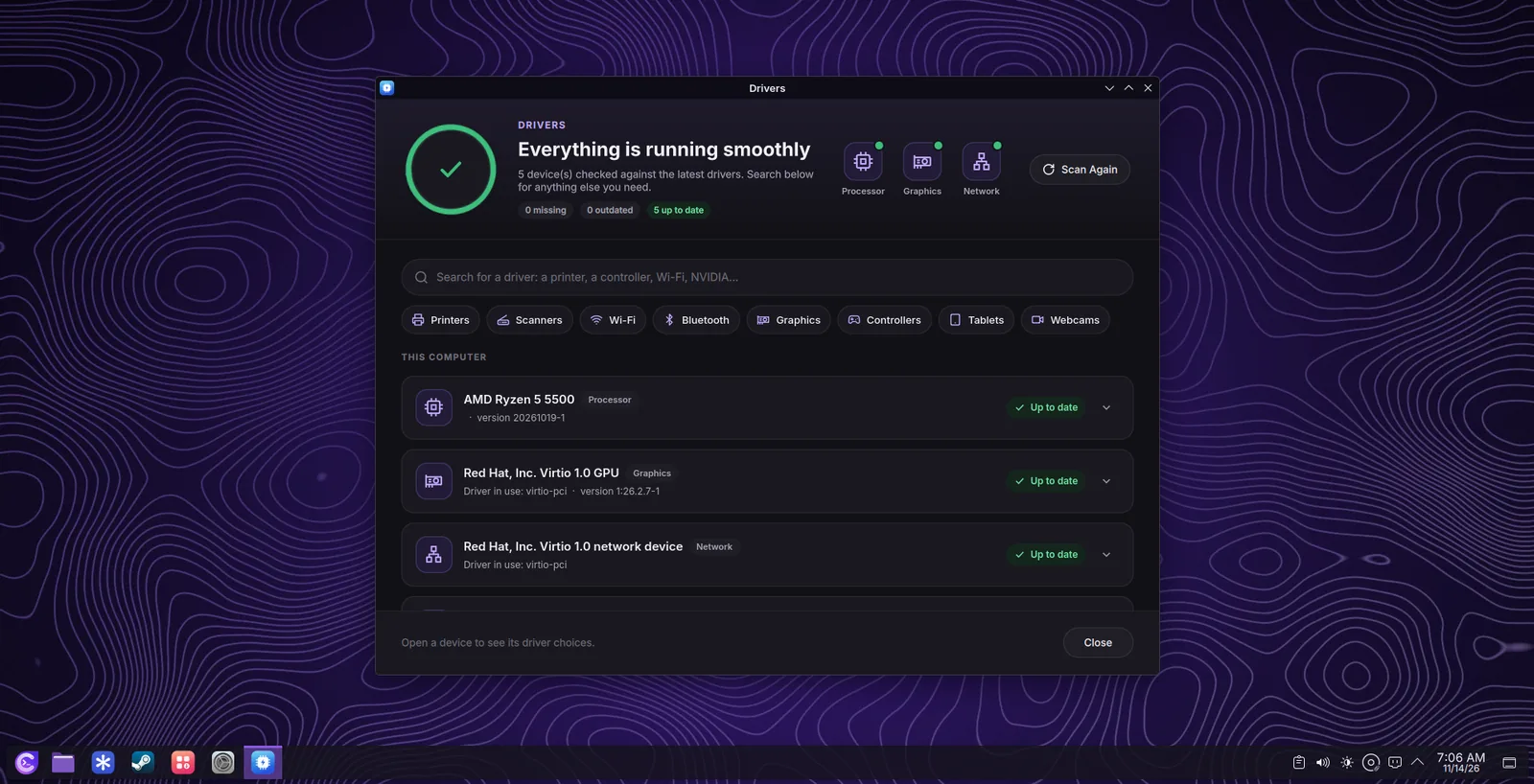
Drivers checks every device of your computer (processor, graphics, network, Wi-Fi, sound, printers) against the newest drivers of Choutes Project and Arch Linux, and marks each one as missing, out of date, needing attention, or up to date. Most devices need nothing: the Linux kernel and Mesa include their drivers.
Drivers menyemak setiap peranti komputer anda (pemproses, grafik, rangkaian, Wi-Fi, bunyi, pencetak) dengan pemacu terbaharu Choutes Project dan Arch Linux, dan menandakan setiap satu sebagai tiada, lapuk, perlu perhatian atau terkini. Kebanyakan peranti tidak memerlukan apa-apa: kernel Linux dan Mesa sudah mengandungi pemacunya.
What Drivers installsApa yang dipasang oleh Drivers
| DevicePeranti | DriverPemacu |
|---|---|
| NVIDIA GeForce 16, RTX 20, and newerNVIDIA GeForce 16, RTX 20 dan lebih baharu | The NVIDIA driver with the open kernel modules, for every installed kernelPemacu NVIDIA dengan modul kernel terbuka, untuk setiap kernel yang dipasang |
| NVIDIA GeForce 900 and 10NVIDIA GeForce 900 dan 10 | The NVIDIA 580 legacy driver, built from the AURPemacu legasi NVIDIA 580, dibina daripada AUR |
| Older NVIDIA cardsKad NVIDIA yang lebih lama | Nouveau (open source, already in use)Nouveau (sumber terbuka, sudah digunakan) |
| Broadcom Wi-Fi that needs itWi-Fi Broadcom yang memerlukannya | broadcom-wlbroadcom-wl |
| HP printers (USB)Pencetak HP (USB) | HPLIPHPLIP |
| Intel and AMD processorsPemproses Intel dan AMD | Processor microcode: security and stability fixes loaded at every startMikrokod pemproses: pembaikan keselamatan dan kestabilan yang dimuatkan pada setiap permulaan |
Change a driverTukar pemacu
- Connect to the internetSambung ke internet
Drivers checks and downloads drivers only when the computer is online; offline it says so.
Drivers menyemak dan memuat turun pemacu hanya apabila komputer dalam talian; jika luar talian ia akan memberitahu.
- Choose the driverPilih pemacu
Open a device and choose its driver. The recommended one is marked Recommended; the one in use is marked In use. Fix All chooses the recommended driver for every device.
Buka peranti dan pilih pemacunya. Yang disyorkan ditandakan Recommended; yang sedang digunakan ditandakan In use. Fix All memilih pemacu yang disyorkan untuk setiap peranti.
- Apply ChangesApply Changes
Give your password. The drivers are installed together with the newest updates (Arch Linux needs a complete update), with snapshots before and after. Revert undoes your choices before you apply them.
Berikan kata laluan anda. Pemacu dipasang bersama kemas kini terbaharu (Arch Linux memerlukan kemas kini lengkap), dengan snapshot sebelum dan selepas. Revert membatalkan pilihan anda sebelum anda menggunakannya.
- RestartMulakan semula
Restart the computer to use the new driver.
Mulakan semula komputer untuk menggunakan pemacu baharu.
Check the graphics driverSemak pemacu grafik
lspci -k | grep -A3 -E 'VGA|3D'      # 'Kernel driver in use' shows the driver
nvidia-smi # with the NVIDIA driver: the card and its loadTipPetua
If the screen stays black after installing the NVIDIA driver, open the boot menu and start the LTS kernel or restore the snapshot from before; see TroubleshootingPenyelesaian masalah.
Jika skrin kekal hitam selepas memasang pemacu NVIDIA, buka menu but dan mulakan kernel LTS atau pulihkan snapshot sebelumnya; lihat TroubleshootingPenyelesaian masalah.