
Choutes Project SetupChoutes Project Setup
At the first start, Choutes Project Setup welcomes you: a few steps and your computer is ready. Choose Begin Setup, then go through the language and keyboard, the network, and your account: your full name, a user name (small letters, for example aina), and a password.
Pada permulaan pertama, Choutes Project Setup mengalu-alukan anda: beberapa langkah dan komputer anda sedia. Pilih Begin Setup, kemudian lalui bahasa dan papan kekunci, rangkaian, dan akaun anda: nama penuh, nama pengguna (huruf kecil, contohnya aina) dan kata laluan.
The last step is the look: Dark or Light, and an accent colour (purple, blue, teal, green, amber, orange, red, or pink). You can change both any time in System Settings. Then the desktop starts.
Langkah terakhir ialah rupa: Dark atau Light, dan warna aksen (ungu, biru, teal, hijau, ambar, oren, merah atau merah jambu). Anda boleh mengubah kedua-duanya bila-bila masa dalam System Settings. Kemudian desktop dimulakan.
ImportantPenting
Your password is also the administrator password of the computer (the root account is locked; administrators use sudo). It is asked for updates, drivers, and system changes. Keep it safe: it cannot be recovered.
Kata laluan anda juga kata laluan pentadbir komputer (akaun root dikunci; pentadbir menggunakan sudo). Ia diminta untuk kemas kini, pemacu dan perubahan sistem. Simpan dengan selamat: ia tidak boleh dipulihkan.
Welcome to Choutes ProjectWelcome to Choutes Project
After you log in, Welcome shows your processor, graphics, and memory, and the first things to do: drivers, updates, applications, and gaming, each in a few steps. It opens at every login until you clear Show this window at login. Open it again from the application menu.
Selepas anda log masuk, Welcome menunjukkan pemproses, grafik dan memori anda, serta perkara pertama yang perlu dilakukan: pemacu, kemas kini, aplikasi dan permainan, masing-masing dalam beberapa langkah. Ia dibuka pada setiap log masuk sehingga anda mengosongkan Show this window at login. Buka semula dari menu aplikasi.
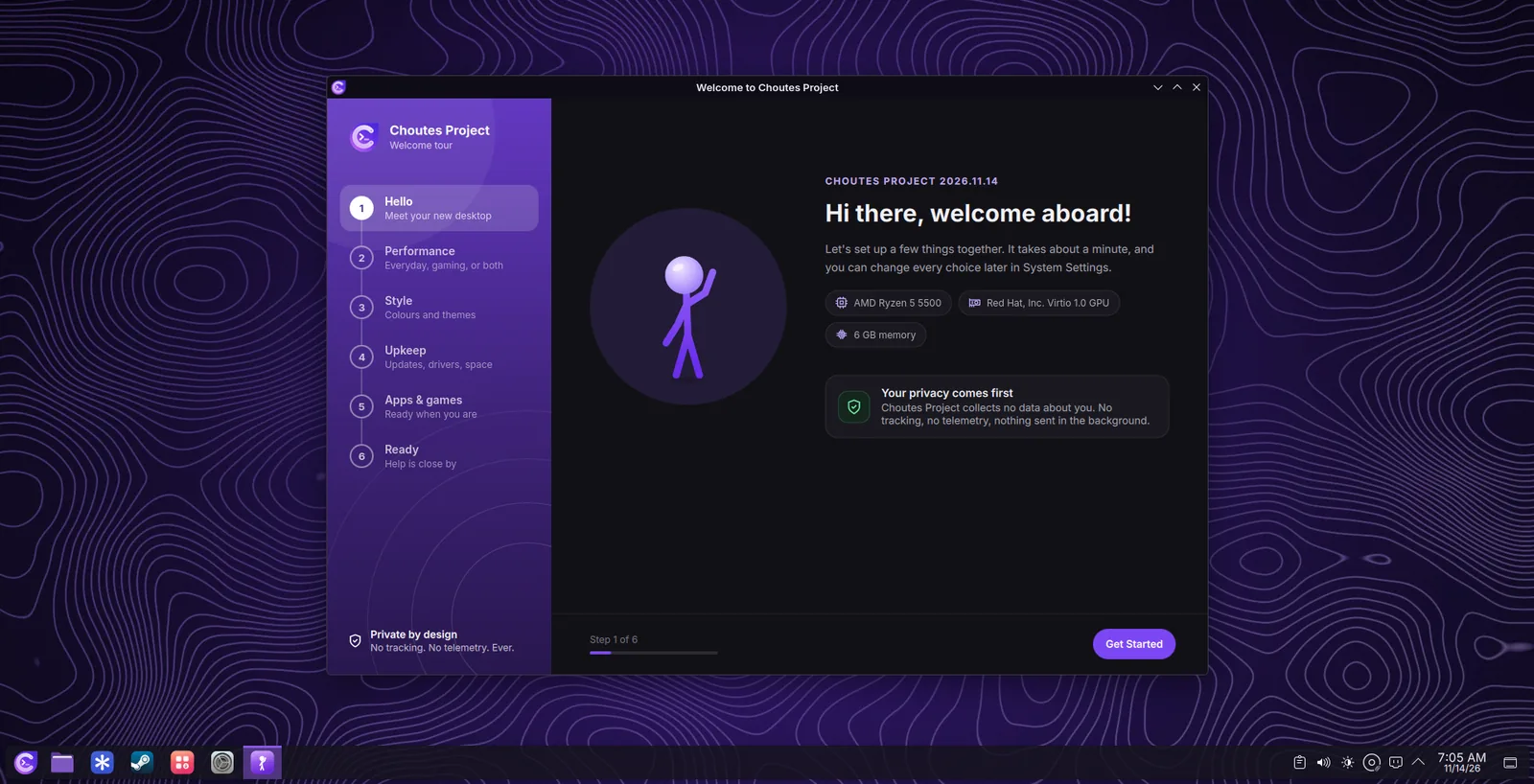
First things to doPerkara pertama yang perlu dilakukan
- Install the updatesPasang kemas kini
Open Software, choose Updates, then Update All. See UpdatesKemas kini.
Buka Software, pilih Updates, kemudian Update All. Lihat UpdatesKemas kini.
- Check the driversSemak pemacu
Open Drivers while connected to the internet, especially with NVIDIA graphics or Broadcom Wi-Fi. See DriversDrivers.
Buka Drivers semasa bersambung ke internet, terutamanya dengan grafik NVIDIA atau Wi-Fi Broadcom. Lihat DriversDrivers.
- Choose your lookPilih rupa anda
Choutes Dark or Choutes Light, your accent colour, and a wallpaper. See AppearanceRupa.
Choutes Dark atau Choutes Light, warna aksen anda dan kertas dinding. Lihat AppearanceRupa.
- Sign in and playLog masuk dan bermain
Sign in to Steam, Vesktop (Discord), and the other applications. See GamingPermainan.
Log masuk ke Steam, Vesktop (Discord) dan aplikasi lain. Lihat GamingPermainan.
More accountsLebih banyak akaun
Add accounts for other people in System Settings > Users. Choose Administrator only for people who may change the system.
Tambah akaun untuk orang lain dalam System Settings > Users. Pilih Administrator hanya untuk orang yang boleh mengubah sistem.